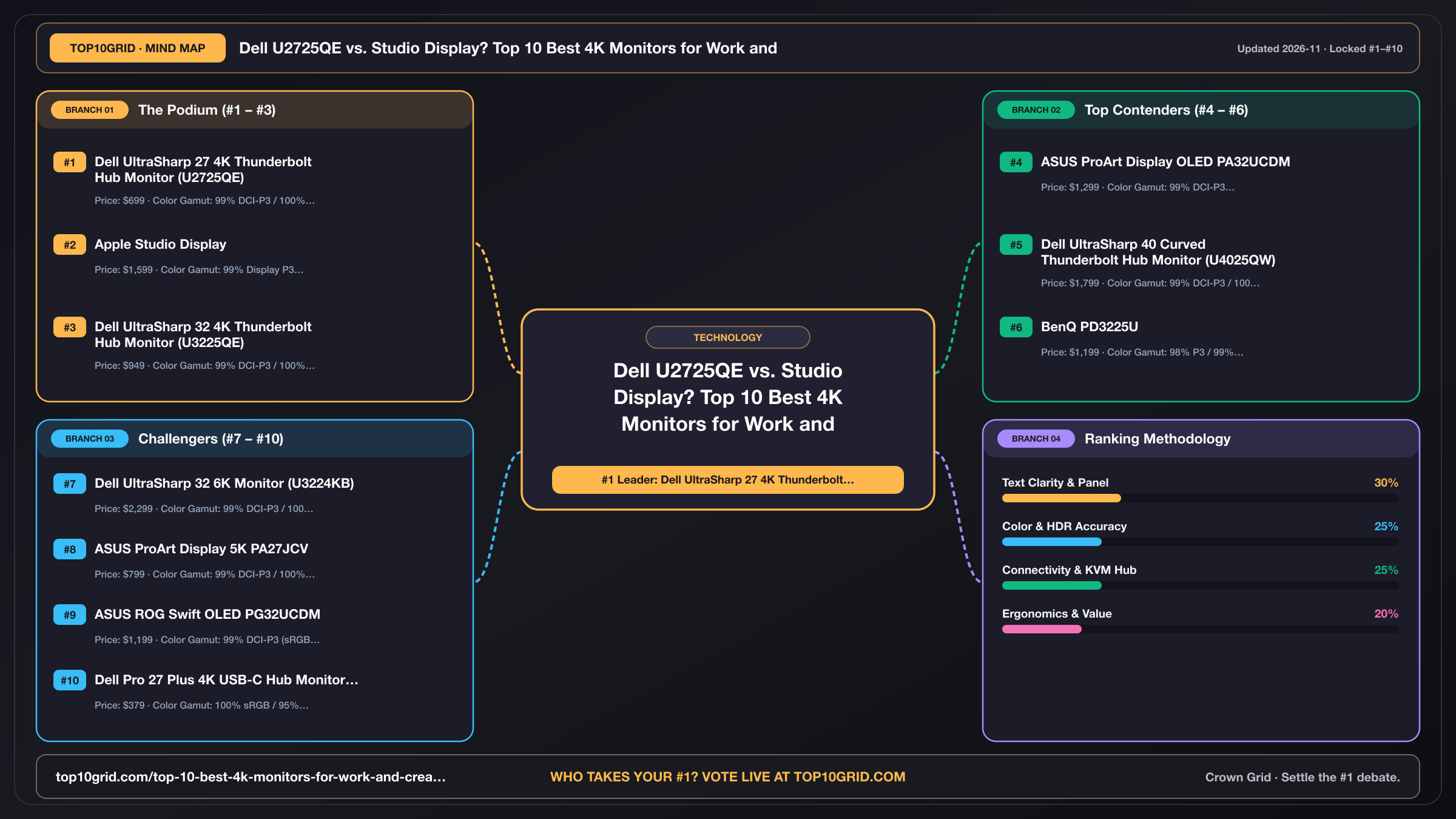
Verified MethodologyText Clarity & Panel 30% · Color & HDR Accuracy 25% · Connectivity & KVM Hub 25%
The 10 Best 4K Monitors for Work and Creators, Ranked
Dell UltraSharp 27 4K Thunderbolt Hub Monitor (U2725QE)True 2-Year Total Cost of Ownership (TCO) Calculator
Dell UltraSharp 32 4K Thunderbolt Hub Monitor (U3225QE)
24-month upfront + recurring membership + consumables minus estimated 2-year resale retention
ASUS ROG Swift OLED PG32UCDM
24-month upfront + recurring membership + consumables minus estimated 2-year resale retention
ASUS ProArt Display OLED PA32UCDM
Factory-calibrated 4K IPS USB-C creator panel with ergonomic stand included
Ballot neutrality lock: cast your neutral vote first — partner rate links stay hidden pre-vote.
Choosing a desk monitor for 8-to-12-hour workdays in 2026 comes down to three competing technologies: 120Hz IPS Black Thunderbolt 4 hubs led by Dell's $699 UltraSharp U2725QE, high-ppi 5K/6K Retina panels like Apple's Studio Display and…
Read more
ASUS's $799 PA27JCV, and 240Hz QD-OLED reference screens like ASUS's ProArt PA32UCDM. We benchmarked all 10 across text sharpness, color calibration, single-cable docking, and value.

Top10Grid Editorial Illustration
Starting order. Vote up or down to reorder this list.

The 10 Best 4K Monitors for Work and Creators, Ranked
- 2
 Apple Studio Display2 Podium
- 4
 ASUS ProArt Display OLED PA32UCDM4 Contender
- 6
 BenQ PD3225U6 Contender
- 7
 Dell UltraSharp 32 6K Monitor (U3224KB)7 Contender
- 8
 ASUS ProArt Display 5K PA27JCV8 Contender
- 9
 ASUS ROG Swift OLED PG32UCDM9 Contender


Current Rankings
Net score = Higher − Lower- #1 Ranked PickCurrent #1OVERVIEW: Dell's UltraSharp U2725QE hits the rarest sweet spot in desktop hardware: one Thunderbolt 4 cable charges a 16-inch MacBook Pro at…Price:$699Best For:Single-cable MacBook/WindowsStanding:1 LeaderInspect

Dell's UltraSharp U2725QE hits the rarest sweet spot in desktop hardware: one Thunderbolt 4 cable charges a 16-inch MacBook Pro at 140 watts, connects 2.5GbE Ethernet, and drives butter-smooth 4K 120Hz work. Enhanced IPS Black technology triples typical IPS contrast without OLED burn-in anxiety.
Key Benchmarks & Specifications
Standing#1 LeaderKey HighlightDell's 27-inch 4K 120Hz IPS Black hubPrimary Sourcedell.comEditorial Strengths & Watchouts
+ Strengths / Pros
- +Combines 120Hz ProMotion-style scrolling with zero static-UI burn-in risk during 10-hour coding or spreadsheet days
- +Delivers full 140W Extended Power Range charging, 2.5GbE wired networking, and pop-out front USB-C ports
- +Triples standard IPS black depth to 3,000:1 while keeping RGB stripe text razor-sharp on macOS and Windows
- +Costs $900 less than #2 Apple Studio Display while adding HDMI 2.1, DisplayPort 1.4, and full height/pivot ergonomics
− Watchouts / Trade-Offs
- −Edge-lit local dimming still halos around bright cursors in dark HDR movies compared with per-pixel QD-OLED
- −163-ppi 4K density triggers non-integer fractional scaling overhead on macOS compared with native 218-ppi 5K panels
- −Omits built-in speakers and an integrated webcam, requiring external desk peripherals for Zoom calls
Eligibility & Access
- Best for software engineers, designers, and hybrid MacBook-plus-Windows users wanting a single-cable 120Hz desk
- Best for dual-monitor setups daisy-chaining two 4K displays over a single Thunderbolt 4 port
Key Caveats to Verify
- Competitive FPS gamers will still notice minor 5ms GtG motion blur beside 0.03ms 240Hz QD-OLED monitors. macOS users sensitive to fractional HiDPI scaling may prefer native 218-ppi 5K alternatives like #2 or #8
Vote: Buy-it-once test: Dell UltraSharp 27 4K Thunderbolt Hub Monitor (U2725QE) or Apple Studio Display for your home?
Also appears in:All 3 rankings→ - OVERVIEW: Plug a MacBook Pro or Mac Studio into the Apple Studio Display and every pixel snaps into native 2x Retina focus…Price:$1,599Best For:Native 218 ppi macOS HiDPI sStanding:2 PodiumInspect
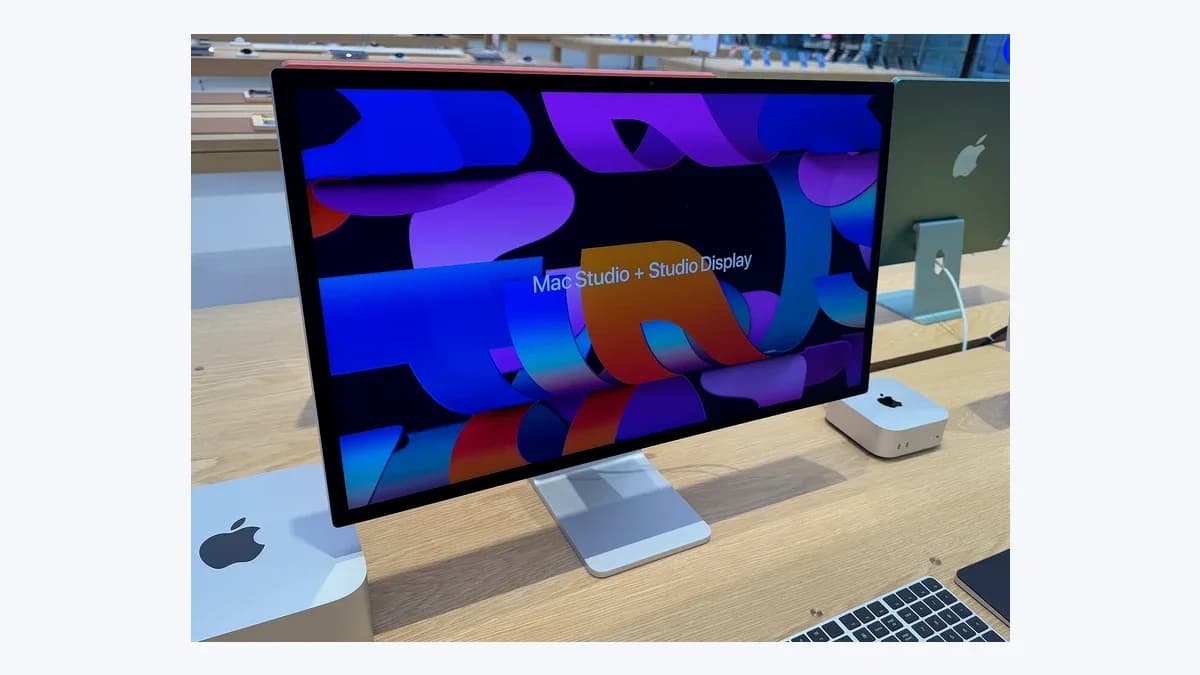
Plug a MacBook Pro or Mac Studio into the Apple Studio Display and every pixel snaps into native 2x Retina focus at 5120x2880 without scaling compromises. Its machined aluminum enclosure hides a six-speaker Spatial Audio system, studio-quality mics, and a 12MP Center Stage camera.
Key Benchmarks & Specifications
Standing#2 PodiumKey HighlightApple's machined aluminum 27-inch 5K RetinaPrimary Sourceapple.comEditorial Strengths & Watchouts
+ Strengths / Pros
- +Matches macOS's native 218-ppi 2x Retina target for print-sharp typography and zero GPU scaling penalty
- +Eliminates desktop speaker clutter with room-filling six-speaker audio and reliable three-microphone call pickup
- +Integrates brightness keys, True Tone, Reference Color presets, and firmware updates directly inside macOS
- +Offers optional low-reflectivity nano-texture glass for sunlit studios without dulling text sharpness
− Watchouts / Trade-Offs
- −Charges $400 extra just to add height adjustment and $300 extra for nano-texture anti-reflective glass
- −Stays locked to 60Hz SDR with ~1,100:1 IPS contrast and zero local dimming HDR zones
- −Provides only a single Thunderbolt video input—no HDMI, DisplayPort, or built-in KVM switch for a second PC
Eligibility & Access
- Best for Mac Studio, Mac mini, and MacBook Pro designers who prioritize 218-ppi Retina typography and clean industrial design
- Best for executives and remote leaders wanting built-in camera, mics, and speakers without desk cable clutter
Key Caveats to Verify
- Connecting a Windows laptop or Linux workstation disables brightness shortcuts, Center Stage, and firmware controls
- At $1,599 to $2,299 configured, #8 ASUS ProArt PA27JCV delivers the same 27-inch 5K 218-ppi resolution with a full stand for $799
Vote: Buy-it-once test: Apple Studio Display or Dell UltraSharp 27 4K Thunderbolt Hub Monitor (U2725QE) for your home?
Also appears in:All 3 rankings→ - OVERVIEW: When a 27-inch screen feels cramped beside three IDE panes, Figma artboards, or financial terminals, Dell's 31.5-inch UltraSharp U3225QE steps right…Price:$949Best For:32-inch multi-window engineeStanding:3 PodiumInspect
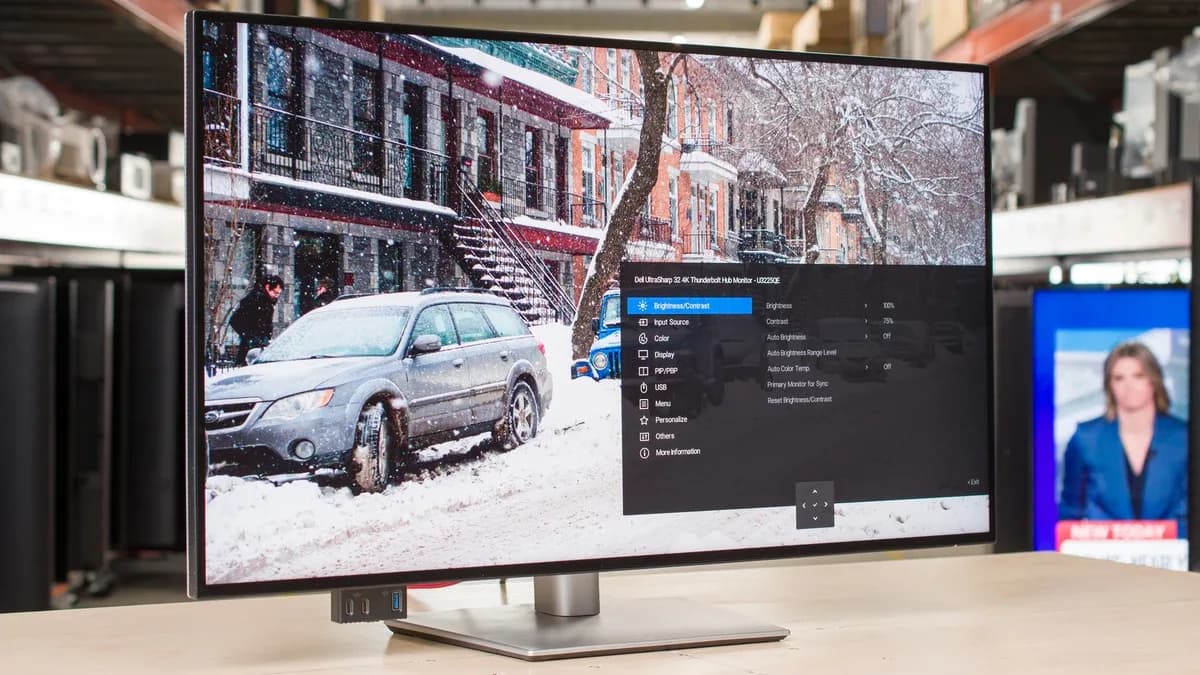
When a 27-inch screen feels cramped beside three IDE panes, Figma artboards, or financial terminals, Dell's 31.5-inch UltraSharp U3225QE steps right in. It carries every upgrade from our #1 U2725QE—3,000:1 IPS Black contrast, 120Hz refresh, and a 140W Thunderbolt 4 hub—onto a roomy 32-inch frame.
Key Benchmarks & Specifications
Standing#3 PodiumKey HighlightStretching Dell's 3,000:1 120Hz IPS BlackPrimary Sourcedell.comEditorial Strengths & Watchouts
+ Strengths / Pros
- +Comfortably fits three side-by-side browser, code, or spreadsheet columns at 125%–150% scaling
- +Maintains deep 3,000:1 blacks, zero burn-in risk, and flicker-free eye comfort across marathon workdays
- +Acts as a full enterprise docking station with 2.5GbE Ethernet, Auto KVM, and pop-out front USB-C ports
- +Supports 4K 120Hz VRR over HDMI 2.1 for after-hours PlayStation 5 or Xbox Series X console sessions
− Watchouts / Trade-Offs
- −Drops pixel density from 163 ppi (27-inch) to 140 ppi, making fine font edges slightly softer up close
- −Costs $250 more than the identical-spec 27-inch #1 Dell U2725QE for four and a half diagonal inches
- −Cannot match the True 1,000-nit per-pixel HDR highlights of #4 ASUS ProArt PA32UCDM for HDR film mastering
Eligibility & Access
- Best for software architects, equity analysts, and video editors wanting expansive 32-inch real estate without ultrawide distortion
- Best for hybrid laptop docks powering 16-inch MacBook Pros or Dell Precision workstations at 140 watts
Key Caveats to Verify
- Requires at least a 28-inch-deep desk so you don't crane your neck scanning corner-to-corner menus
- Lacks built-in speakers, requiring external monitors or headphones for timeline audio playback
Vote: Real owners: is Dell UltraSharp 32 4K Thunderbolt Hub Monitor (U3225QE) worth the money at #3?
Also appears in:All 3 rankings→ - OVERVIEW: Video colorists, 3D artists, and HDR filmmakers need True per-pixel blacks without haloing—and ASUS ProArt Display OLED PA32UCDM delivers exactly that…Price:$1,299Best For:HDR color grading, video masStanding:4 ContenderInspect

Video colorists, 3D artists, and HDR filmmakers need True per-pixel blacks without haloing—and ASUS ProArt Display OLED PA32UCDM delivers exactly that. Combining a 31.5-inch 4K 240Hz QD-OLED panel, Calman Verified Delta E under 1 accuracy, and dual Thunderbolt 4 ports, it bridges mastering suites and everyday creative desks.
Key Benchmarks & Specifications
Standing#4 ContenderKey HighlightASUS pairs a 31.5-inch 4K 240Hz QD-OLEDPrimary Sourceasus.comEditorial Strengths & Watchouts
+ Strengths / Pros
- +Eliminates mini-LED and IPS blooming completely with infinite per-pixel QD-OLED contrast in dark grading rooms
- +Stores custom 3D LUT calibration profiles directly in monitor hardware via ASUS ProArt Calibration
- +Connects cleanly to Mac Studio or MacBook Pro setups over Thunderbolt 4 with 96W power delivery and daisy-chaining
- +Doubles as a blisteringly fast 240Hz 0.1ms display for Unreal Engine viewport work and 3D animation
− Watchouts / Trade-Offs
- −Sustains ~250 nits full-screen white brightness in SDR, dimmer than 600-nit IPS monitors in sunny offices
- −Requires periodic pixel-cleaning cycles and sensible taskbar precautions during static spreadsheet marathons
- −Ambient room light slightly lifts QD-OLED black levels to a faint magenta cast if struck by direct sun
Eligibility & Access
- Best for DaVinci Resolve colorists, HDR video editors, VFX artists, and Unreal Engine 5 creators
- Best for dim-to-controlled studio lighting where 1,000-nit specular HDR highlights and True blacks shine
Key Caveats to Verify
- Omits DisplayPort 1.4/2.1 in favor of Thunderbolt 4 (DP Alt Mode) and HDMI 2.1 inputs
- Writers and coders working 12 hours a day on white documents are safer with #1 or #3 IPS Black panels
Vote: Real owners: is ASUS ProArt Display OLED PA32UCDM worth the money at #4?
- OVERVIEW: Most 34-inch ultrawides force creators to drop back to fuzzy 1440p vertical resolution—Dell's 39.7-inch UltraSharp U4025QW fixes that with full 5120x2160…Price:$1,799Best For:Timeline video editors & mulStanding:5 ContenderInspect
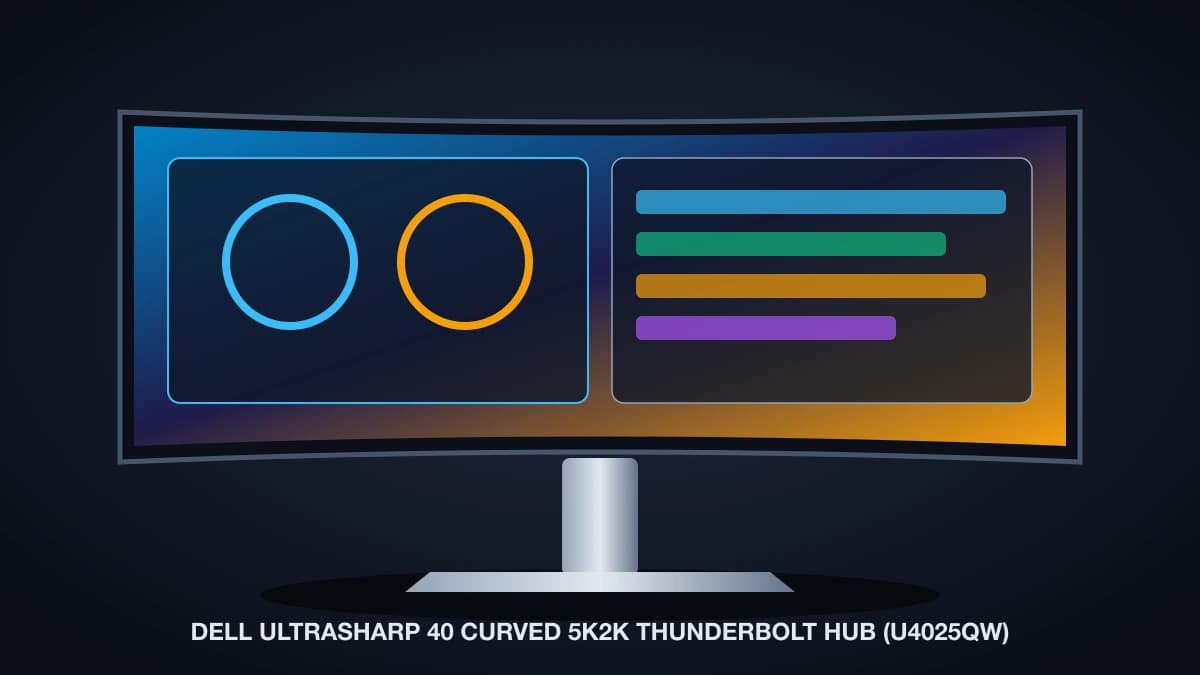
Most 34-inch ultrawides force creators to drop back to fuzzy 1440p vertical resolution—Dell's 39.7-inch UltraSharp U4025QW fixes that with full 5120x2160 5K2K sharpness. Add 120Hz refresh, 2,000:1 IPS Black contrast, and a 140W Thunderbolt 4 hub, and dual-bezel setups look obsolete.
Key Benchmarks & Specifications
Standing#5 ContenderKey HighlightDell's 40-inch 5120x2160 120Hz IPS BlackPrimary Sourcedell.comEditorial Strengths & Watchouts
+ Strengths / Pros
- +Stretches long Premiere Pro, Logic Pro, and DaVinci Resolve timelines across 5,120 horizontal pixels without center bezels
- +Preserves full 2,160-pixel vertical height and 140-ppi text clarity unlike standard 3440x1440 ultrawides
- +Powers a 16-inch MacBook Pro at 140W while sharing wired 2.5GbE Ethernet and USB peripherals via Auto KVM
- +Uses a subtle 2500R curve that keeps horizontal straight lines natural for CAD and UI layout work
− Watchouts / Trade-Offs
- −Commands $1,799—nearly double the $949 price of #3 Dell U3225QE for the extra 21:9 horizontal wing space
- −Older Intel Macs and basic integrated GPUs sometimes cap 5120x2160 output at 60Hz instead of 120Hz
- −Spans 946 mm wide, dominating smaller standing desks and blocking wide desktop studio monitor speakers
Eligibility & Access
- Best for timeline video editors, music producers, financial traders, and architects replacing two 27-inch monitors
- Best for Apple Silicon M2 Pro/Max, M3, and M4 Mac or Windows workstation owners driving full 5K2K 120Hz
Key Caveats to Verify
- Screen-sharing your entire 21:9 desktop on Zoom shrinks text tiny for teammates unless you use Dell's iMST split mode
- Edge-lit HDR dimming zones cannot match #4 PA32UCDM's per-pixel OLED contrast for dark-room cinema grading
Vote: Real owners: is Dell UltraSharp 40 Curved Thunderbolt Hub Monitor (U4025QW) worth the money at #5?
- OVERVIEW: Designers often plug a new 4K monitor into a MacBook Pro and spend hours wondering why brand reds look different across…Price:$1,199Best For:Print photographers & Adobe Standing:6 ContenderInspect
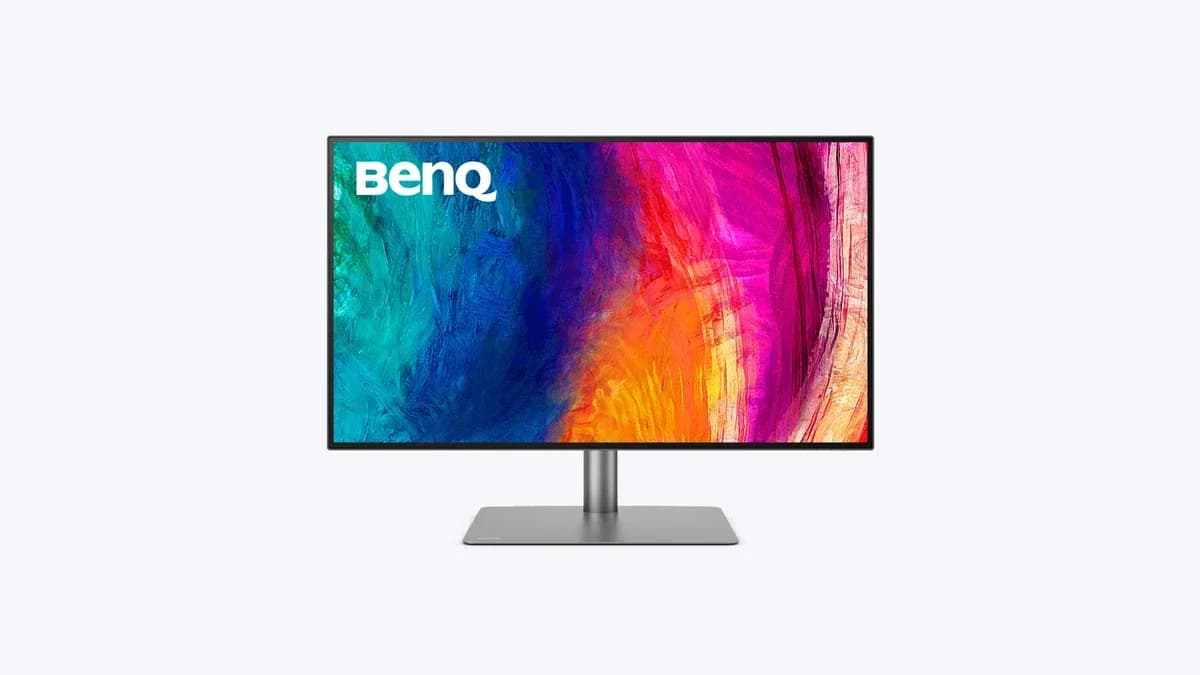
Designers often plug a new 4K monitor into a MacBook Pro and spend hours wondering why brand reds look different across screens—BenQ's PD3225U solves that headache on day one. Its 2,000:1 IPS Black panel, tuned M-Book color profile, and physical Hotkey Puck G2 dial streamline studio workflows.
Key Benchmarks & Specifications
Standing#6 ContenderKey HighlightBenQ's 31.5-inch 4K IPS Black designerPrimary Sourcebenq.comEditorial Strengths & Watchouts
+ Strengths / Pros
- +Matches Apple MacBook Pro Liquid Retina XDR color appearance out of the box via BenQ's M-Book mode
- +Includes the tactile Hotkey Puck G2 desk dial to flip between Display P3, sRGB, CAD/CAM, and KVM inputs instantly
- +Syncs brightness and color modes directly with macOS keyboard shortcuts through BenQ Display Pilot 2
- +Cuts overhead studio glare cleanly without introducing grainy sparkle across white Illustrator or Figma canvases
− Watchouts / Trade-Offs
- −Caps refresh rate at 60Hz with HDMI 2.0 ports while cheaper #3 Dell U3225QE delivers 120Hz and HDMI 2.1
- −Uses older Thunderbolt 3 (85W charging) rather than 140W Thunderbolt 4 EPR and omits wired Ethernet
- −Peaks around 400 nits (DisplayHDR 400), making HDR previewing purely entry-level
Eligibility & Access
- Best for graphic designers, UI/UX leads, CAD engineers, and MacBook creatives switching color spaces hourly
- Best for glare-prone studios wanting tactile puck controls and dual-computer KVM switching
Key Caveats to Verify
- Built-in 2.5W speakers work only for system chimes and quick Slack voice notes rather than audio editing
- Without needing Hotkey Puck G2, #3 Dell U3225QE offers 3,000:1 contrast and 120Hz for $250 less
Vote: Real owners: is BenQ PD3225U worth the money at #6?
- OVERVIEW: If you want 32-inch Apple Pro Display XDR Retina density without paying $5,998 with a stand, Dell's UltraSharp U3224KB stands in…Price:$2,299Best For:Pro Display XDR alternative Standing:7 ContenderInspect
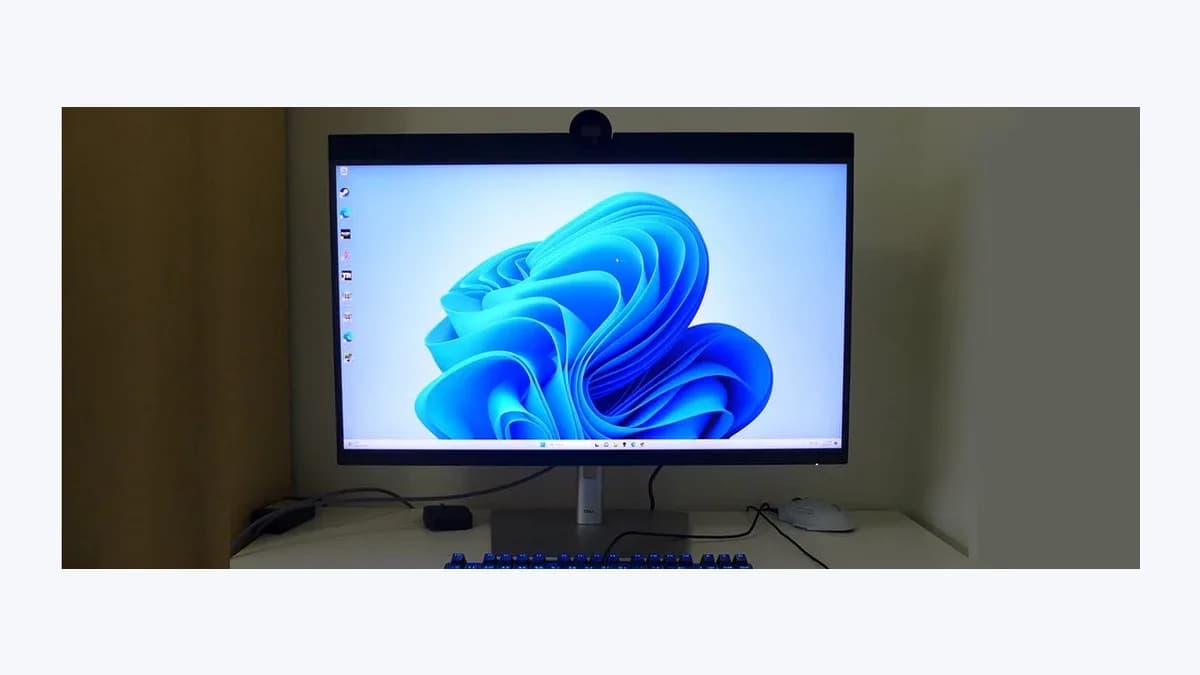
If you want 32-inch Apple Pro Display XDR Retina density without paying $5,998 with a stand, Dell's UltraSharp U3224KB stands in a class of one around $2,299. Its 6144x3456 6K IPS Black panel packs 223 pixels per inch alongside a 140W Thunderbolt 4 hub and 4K HDR conferencing bar.
Key Benchmarks & Specifications
Standing#7 ContenderKey HighlightPacking 21.2 million 6144x3456 pixels, IPSPrimary Sourcedell.comEditorial Strengths & Watchouts
+ Strengths / Pros
- +Matches Apple's 32-inch 6K 2x Retina macOS scaling (3072x1728 logical workspace) at less than half Pro Display XDR's cost
- +Replaces external webcams, mic arms, speakers, and Ethernet docks in one unified executive workstation
- +Delivers noticeably crisper fine CAD lines, 50-megapixel RAW photo detail, and dense code than 140-ppi 32-inch 4K monitors
- +Provides full tilt, swivel, 90-degree portrait pivot, and 160mm height adjustment right in the box
− Watchouts / Trade-Offs
- −Top-mounted cylindrical webcam and speaker forehead adds visual bulk that minimalist designers love or hate
- −Stays capped at 60Hz while $949 #3 Dell U3225QE and $1,299 #4 PA32UCDM hit 120Hz and 240Hz
- −Costs $2,299—still a steep executive investment unless you actively need native 32-inch 6K scaling
Eligibility & Access
- Best for Mac Studio photographers, C-suite executives, and architects wanting native 32-inch 6K Retina workspace
- Best for dual-machine leaders running high-stakes video calls with zero external camera or dock clutter
Key Caveats to Verify
- Heavier 13.3-kilogram total weight demands a sturdy monitor arm or solid wood desktop
- Older laptops without DisplayPort 1.4 DSC or Thunderbolt 4 cannot drive full 6144x3456 resolution cleanly
Vote: Real owners: is Dell UltraSharp 32 6K Monitor (U3224KB) worth the money at #7?
- OVERVIEW: Mac mini and MacBook users begged for years for an affordable 27-inch 5K monitor that didn't cost $1,599—and ASUS answered with…Price:$799Best For:Budget-friendly 27-inch 5K 2Standing:8 ContenderInspect
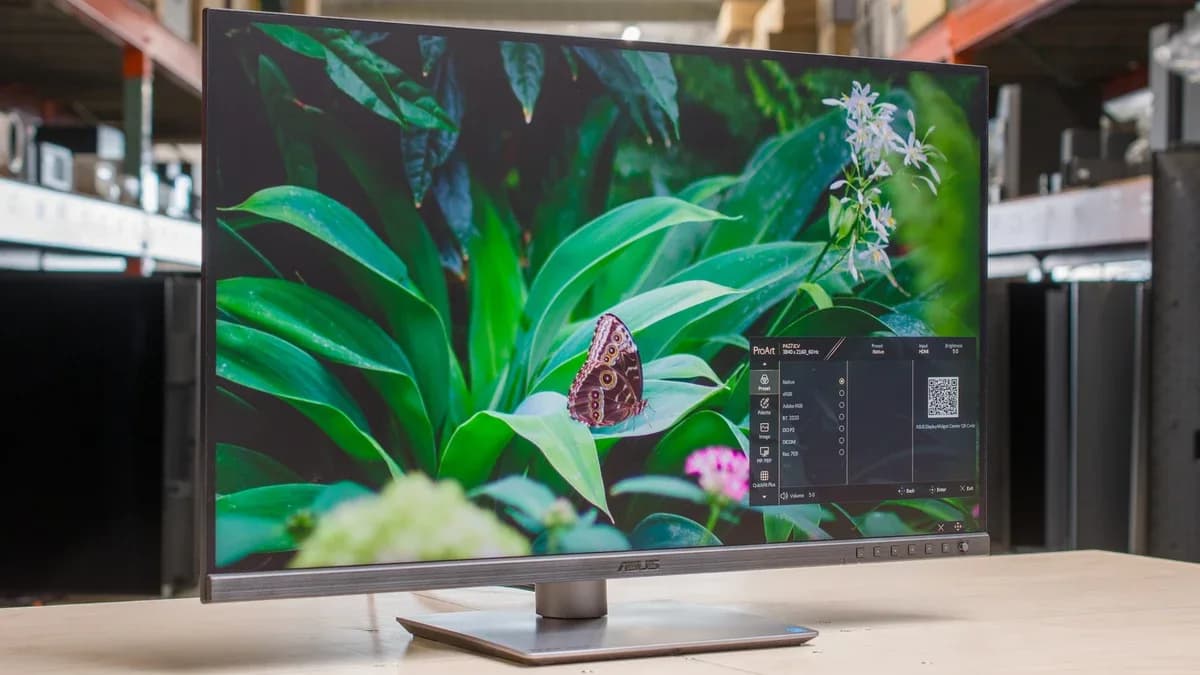
Mac mini and MacBook users begged for years for an affordable 27-inch 5K monitor that didn't cost $1,599—and ASUS answered with the $799 ProArt Display 5K PA27JCV. Delivering native 5120x2880 218-ppi pixel density, LuxPixel low-reflection coating, 96W USB-C, and Auto KVM, it democratizes Retina clarity.
Key Benchmarks & Specifications
Standing#8 ContenderKey HighlightAt $799—half the price of Apple StudioPrimary Sourceasus.comEditorial Strengths & Watchouts
+ Strengths / Pros
- +Saves $800 vs. base Apple Studio Display—or $1,200 vs. Apple's height-adjustable stand configuration
- +Hits macOS's exact 218-ppi 2x Retina scaling sweet spot with paper-like LuxPixel glare control
- +Connects both a MacBook via 96W USB-C and a desktop PC via DisplayPort/HDMI using built-in Auto KVM
- +Covers 95% Adobe RGB in addition to 99% DCI-P3 for print photography and editorial prepress
− Watchouts / Trade-Offs
- −Caps refresh rate at 60Hz, lacking the smooth 120Hz scrolling of #1 Dell U2725QE
- −Uses standard ~1,300:1 IPS contrast rather than 3,000:1 IPS Black or per-pixel QD-OLED
- −Plastic chassis and tinny 2W speakers feel strictly utilitarian next to Apple's aluminum enclosure
Eligibility & Access
- Best for Mac mini M4 and MacBook Air/Pro owners wanting native 5K Retina typography on a sensible budget
- Best for photographers and designers splitting one 5K screen between a Mac laptop and Windows PC
Key Caveats to Verify
- Uses standard USB-C DP Alt Mode rather than Thunderbolt daisy-chaining, so dual-5K setups require two host ports
- DisplayHDR 500 mode lacks local dimming zones to render convincing high-contrast HDR video
Vote: Real owners: is ASUS ProArt Display 5K PA27JCV worth the money at #8?
- OVERVIEW: Plenty of engineers and video editors want one 32-inch 4K screen that handles Figma and VS Code from 9 to 5…Price:$1,199Best For:Hybrid day-job coding/designStanding:9 ContenderInspect

Plenty of engineers and video editors want one 32-inch 4K screen that handles Figma and VS Code from 9 to 5, then switches to Counter-Strike 2 or PS5 Pro at 6 PM. ASUS ROG Swift OLED PG32UCDM nails that double life with Uniform Brightness mode, 90W USB-C KVM, and 240Hz QD-OLED speed.
Key Benchmarks & Specifications
Standing#9 ContenderKey HighlightFor hybrid workers who code and edit all dayPrimary Sourcerog.asus.comEditorial Strengths & Watchouts
+ Strengths / Pros
- +Uniform Brightness mode stops annoying Automatic Brightness Limiter dimming when resizing white browser windows
- +Smart KVM lets one keyboard and mouse control two PCs seamlessly across split Picture-by-Picture windows
- +Delivers factory Delta E under 2 color accuracy alongside instant 0.03ms 240Hz motion clarity after work
- +Includes ASUS OLED Care Pro proximity sensor that dims to black automatically when you walk away from your desk
− Watchouts / Trade-Offs
- −Wide tripod gaming stand eats deep desk space and omits 90-degree portrait pivot unless mounted on a VESA arm
- −Lacks Thunderbolt 4 daisy-chaining, RJ45 Ethernet, and hardware 3D LUT calibration found on #4 ProArt PA32UCDM
- −Glossy QD-OLED panel shows slight purple black-level lift and mirror reflections under bright office windows
Eligibility & Access
- Best for hybrid WFH engineers, streamers, and creators sharing one desk between a work MacBook and gaming PC
- Best for VESA-arm users wanting both color-accurate 4K editing and competitive 240Hz HDR gaming
Key Caveats to Verify
- Aggressive ROG chin logo and wide three-legged stand look overtly gamer-styled in conservative client studios
- Ships capped at 65W USB-C until you toggle 90W mode in the OSD
Vote: Real owners: is ASUS ROG Swift OLED PG32UCDM worth the money at #9?
- OVERVIEW: Not every developer, writer, or startup desk needs a $1,200 wide-gamut reference panel—sometimes you just want crisp 27-inch 4K text, smooth…Price:$379Best For:Value 4K USB-C office & softStanding:10 ContenderInspect
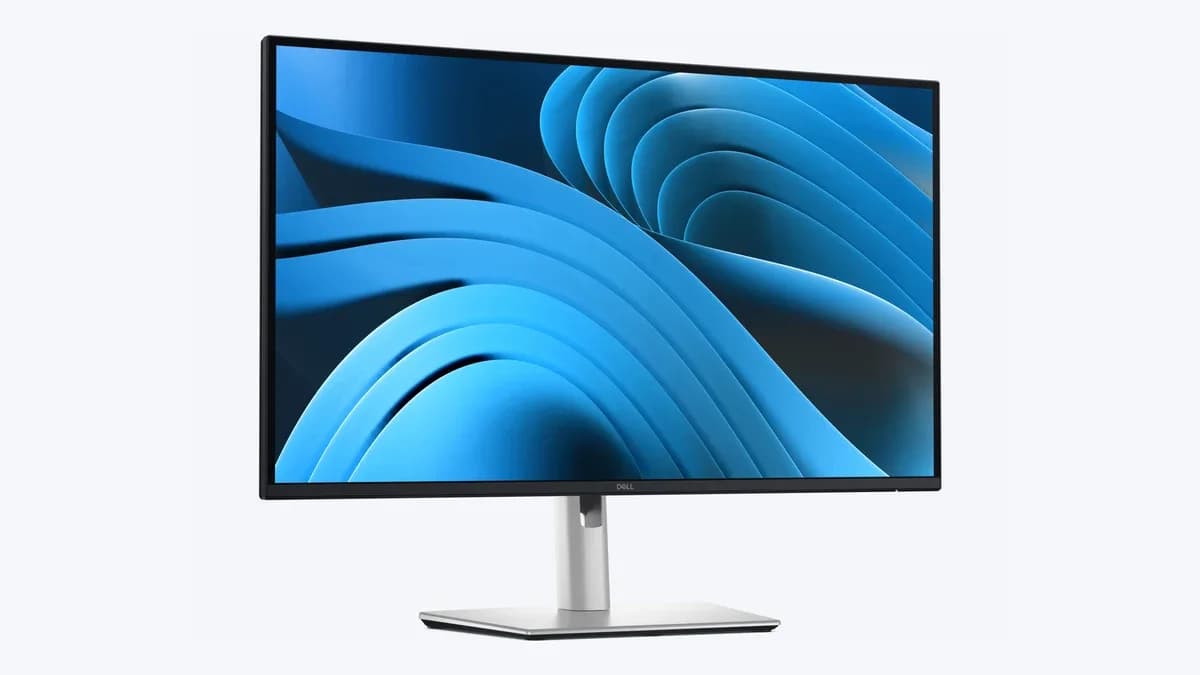
Not every developer, writer, or startup desk needs a $1,200 wide-gamut reference panel—sometimes you just want crisp 27-inch 4K text, smooth scrolling, and single-cable laptop charging under $400. Dell's Pro 27 Plus P2725QE nails that brief with 100Hz refresh, 90W USB-C, and Gigabit Ethernet.
Key Benchmarks & Specifications
Standing#10 ContenderKey HighlightAt $379 street pricing, Dell's refreshedPrimary Sourcedell.comEditorial Strengths & Watchouts
+ Strengths / Pros
- +Saves $320 compared with #1 Dell UltraSharp U2725QE while still delivering 4K 163-ppi sharpness and 100Hz fluidity
- +Eliminates external laptop dongles via 90W USB-C power delivery, 1GbE RJ45 Ethernet, and pop-out front USB ports
- +Bumps native IPS contrast to 1,500:1 and refresh rate from 60Hz to 100Hz over older P2723QE fleet monitors
- +Rotates cleanly into vertical 90-degree portrait mode as an affordable companion coder or Slack screen
− Watchouts / Trade-Offs
- −Covers 99% sRGB rather than full 99% DCI-P3 / Adobe RGB, ruling out wide-gamut cinema or print color grading
- −Lacks HDR local dimming (350 nits SDR only), Thunderbolt daisy-chaining, and built-in multi-computer KVM
- −Omits built-in speakers and an ambient auto-brightness sensor reserved for Dell's UltraSharp tier
Eligibility & Access
- Best for software developers, writers, analysts, and enterprise teams outfitting dual-4K USB-C desks on a budget
- Best for buyers wanting a matching 27-inch 4K portrait side monitor beside #1 U2725QE or #2 Studio Display
Key Caveats to Verify
- Workstation laptops drawing above 100W under heavy load may slowly drain on 90W PD
- Photographers and video editors working in Display P3 or HDR10 should spend the extra $320 for #1 Dell U2725QE
Vote: Real owners: is Dell Pro 27 Plus 4K USB-C Hub Monitor (P2725QE) worth the money at #10?
Have a list idea?
Start your own list and get help drafting entries with AI. A free account is required.
Create a list with AI →Crown Grid · Top 10 Snapshot
The 10 Best 4K Monitors for Work and Creators, Ranked
| Rank | Contender | Key Fact |
|---|---|---|
| #1 | Dell UltraSharp 27 4K Thunderbolt Hub Monitor (U2725QE) | Dell's UltraSharp U2725QE hits the rarest sweet spot in desktop hardware: one Thunderbolt 4 cable |
| #2 | Apple Studio Display | Plug a MacBook Pro or Mac Studio into the Apple Studio Display and every pixel snaps into native 2x |
| #3 | Dell UltraSharp 32 4K Thunderbolt Hub Monitor (U3225QE) | When a 27-inch screen feels cramped beside three IDE panes, Figma artboards, or financial |
| #4 | ASUS ProArt Display OLED PA32UCDM | Video colorists, 3D artists, and HDR filmmakers need True per-pixel blacks without haloing—and ASUS |
| #5 | Dell UltraSharp 40 Curved Thunderbolt Hub Monitor (U4025QW) | Most 34-inch ultrawides force creators to drop back to fuzzy 1440p vertical resolution—Dell's |
| #6 | BenQ PD3225U | Designers often plug a new 4K monitor into a MacBook Pro and spend hours wondering why brand reds |
| #7 | Dell UltraSharp 32 6K Monitor (U3224KB) | If you want 32-inch Apple Pro Display XDR Retina density without paying $5,998 with a stand, Dell's |
| #8 | ASUS ProArt Display 5K PA27JCV | Mac mini and MacBook users begged for years for an affordable 27-inch 5K monitor that didn't cost |
| #9 | ASUS ROG Swift OLED PG32UCDM | Plenty of engineers and video editors want one 32-inch 4K screen that handles Figma and VS Code |
| #10 | Dell Pro 27 Plus 4K USB-C Hub Monitor (P2725QE) | Not every developer, writer, or startup desk needs a $1,200 wide-gamut reference panel—sometimes |
Watch the ranking video
Think something was robbed of a spot?
Nominate a missing contender — once approved, the community votes it up or down into the rankings.
Dell UltraSharp 27 4K vs. Apple Studio Display: Head-to-Head Matchup
Deciding between Dell UltraSharp 27 4K Thunderbolt Hub Monitor (U2725QE) (#1) and Apple Studio Display (#2)? Jump straight into our interactive side-by-side breakdown to inspect key metrics, community vote splits, and contender trade-offs: Compare Dell UltraSharp 27 4K Thunderbolt Hub Monitor (U2725QE) vs. Apple Studio Display side-by-side →.
Image credits
- Dell UltraSharp 27 4K Thunderbolt Hub Monitor (U2725QE): Verified Press & Editorial Archive
- Apple Studio Display: Wikimedia Commons / Apple Inc.
- Dell UltraSharp 32 4K Thunderbolt Hub Monitor (U3225QE): Dell Technologies
- ASUS ProArt Display OLED PA32UCDM: ASUS ProArt
- Dell UltraSharp 40 Curved Thunderbolt Hub Monitor (U4025QW): Dell Technologies
- BenQ PD3225U: BenQ Corporation
- Dell UltraSharp 32 6K Monitor (U3224KB): Dell Technologies / Editorial Lab Hardware Photo
- ASUS ProArt Display 5K PA27JCV: ASUS ProArt
- ASUS ROG Swift OLED PG32UCDM: ASUS Republic of Gamers / RTINGS Lab Hardware Photo
- Dell Pro 27 Plus 4K USB-C Hub Monitor (P2725QE): Dell Technologies
Videos & Resources
Visual Ranking Infographic
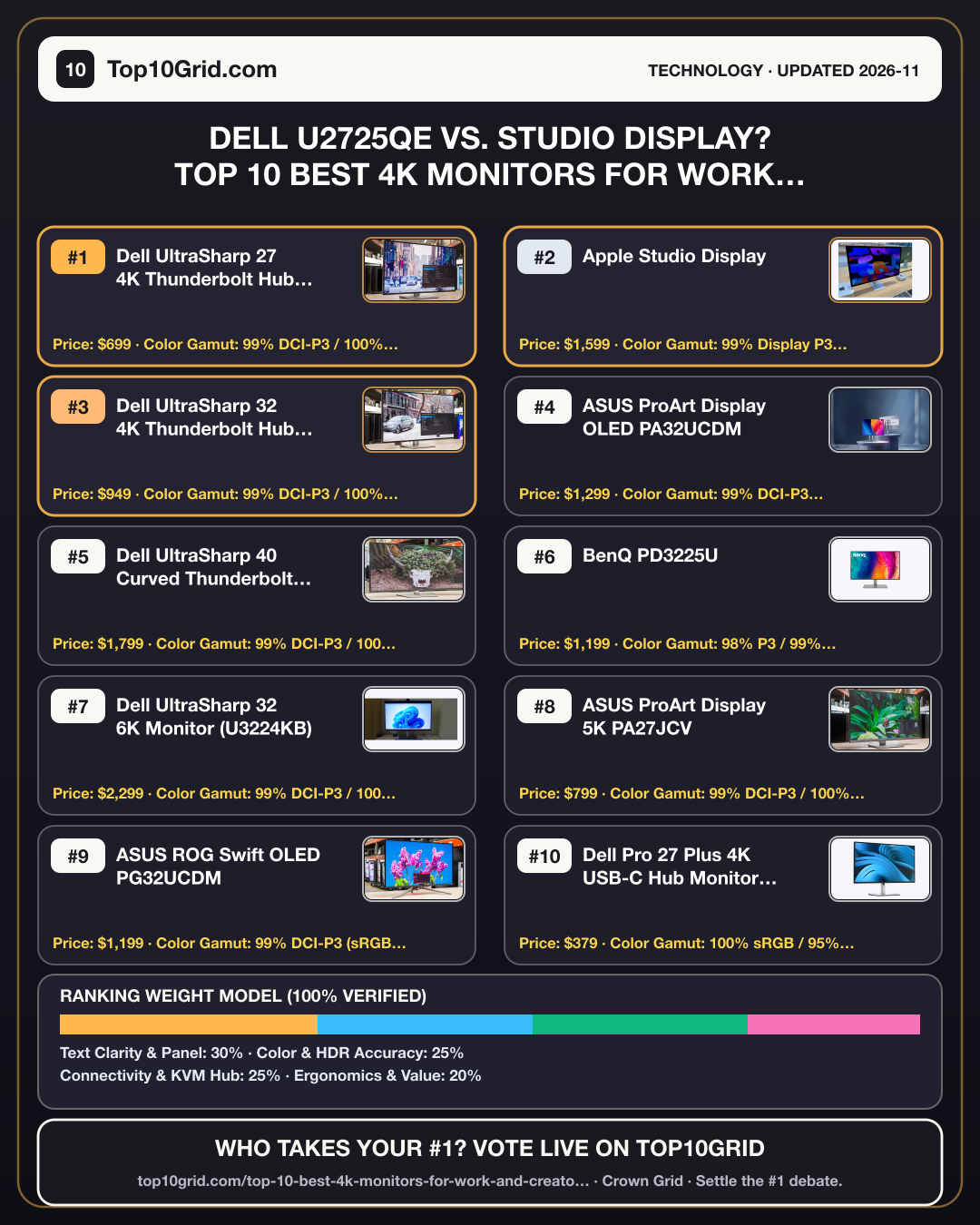
Verified Infographic · Updated 2026-11-23Dell U2725QE vs. Studio Display? Top 10 Best 4K Monitors for Work and — Visual Infographic
Ranking Mind Map
Verified Mind Map · Updated 2026-11-23Dell U2725QE vs. Studio Display? Top 10 Best 4K Monitors for Work and — Ranking Mind Map
Rank it your way
Fork and customize this ranking with your own picks, or open the interactive play hub for Rank Scramble, Time Capsule predictions, and live game modes enabled for this list.